OVERLAY
Compare the whole event
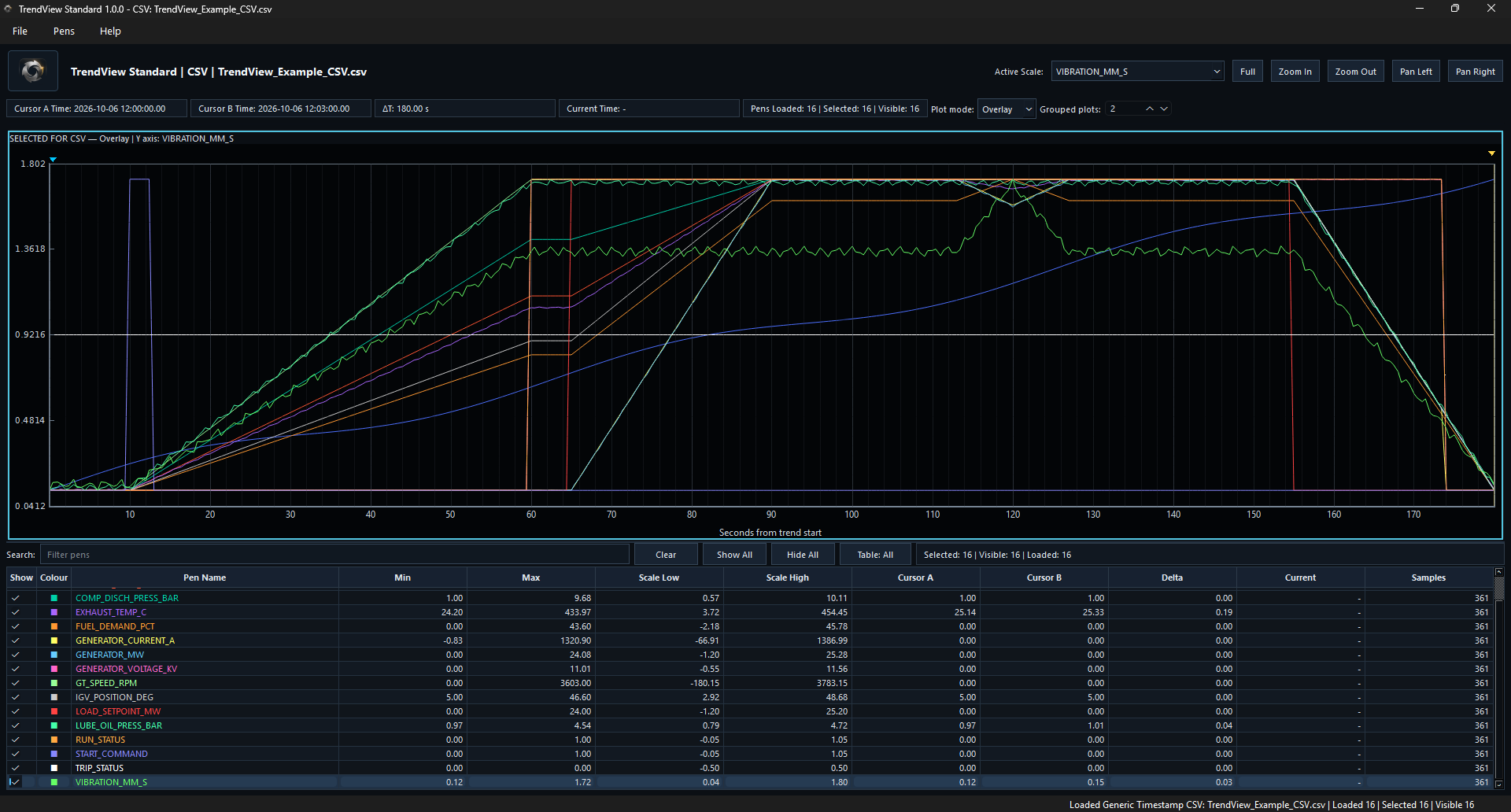
Overlay is the default view when TrendView starts. Bring visible pens together on one plot, using individual engineering scales for signals with different units.
16 visible pens · Enlarge Overlay screenshot ↗
TRENDVIEW STANDARD 1.0
Understand starts, load changes and disturbances. Compare commands with feedback, pinpoint the sequence of events and share the evidence behind your findings.
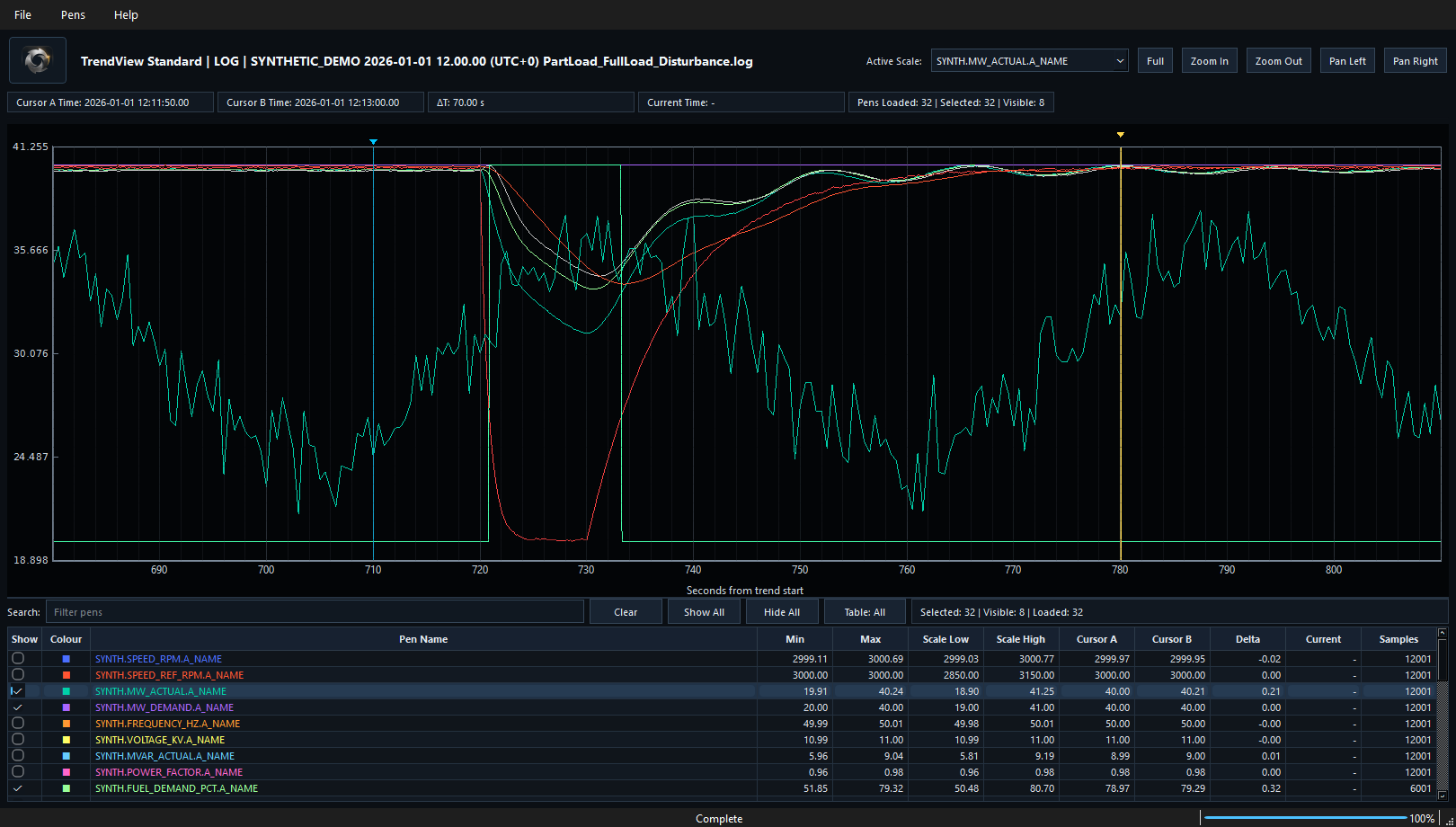
Follow operating changes across recorded signals.
Measure values and elapsed time with shared A/B cursors.
Save a clear plot image or the relevant raw samples.
Keep the original sample values and timing while changing how you compare the signals.
OVERLAY
Overlay is the default view when TrendView starts. Bring visible pens together on one plot, using individual engineering scales for signals with different units.
16 visible pens · Enlarge Overlay screenshot ↗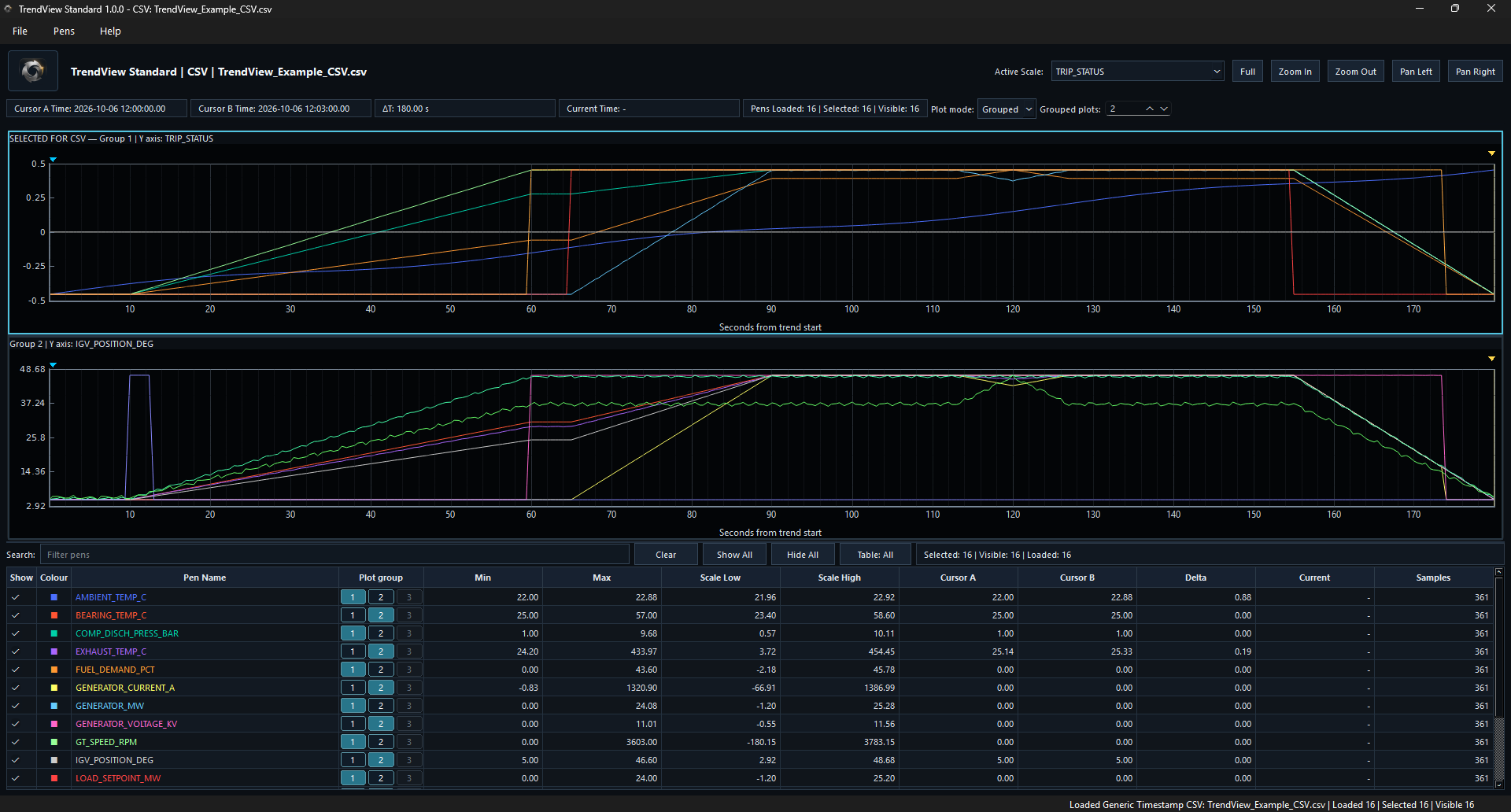
GROUPED
Assign pens to two or three plots with independent Y ranges. Linked time navigation keeps the event aligned.
Two groups · Enlarge Grouped screenshot ↗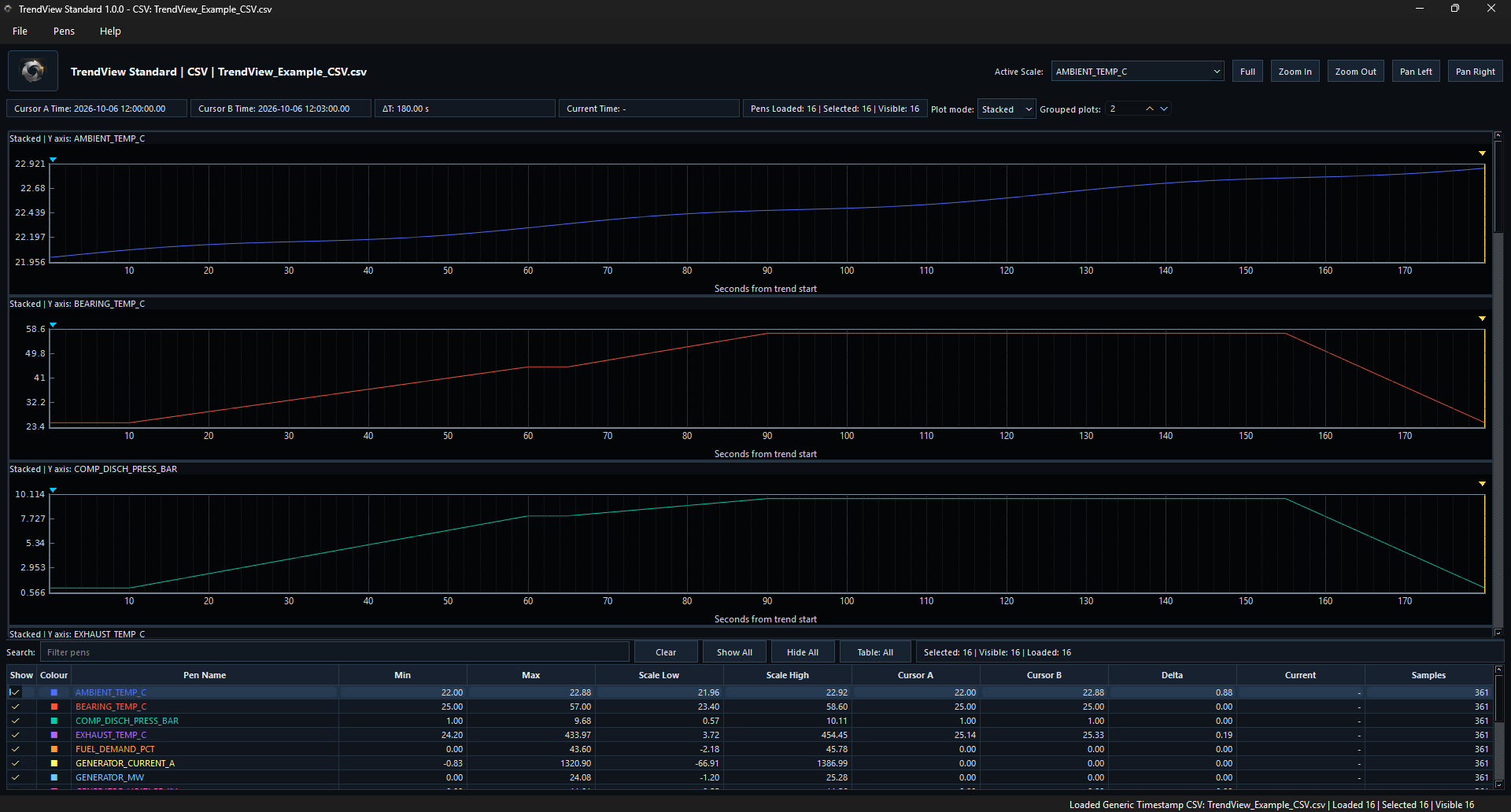
STACKED
Show visible pens in separate plots with their own scales. Scroll through the signals while sharing the same time range and cursors.
Separate signal plots · Enlarge Stacked screenshot ↗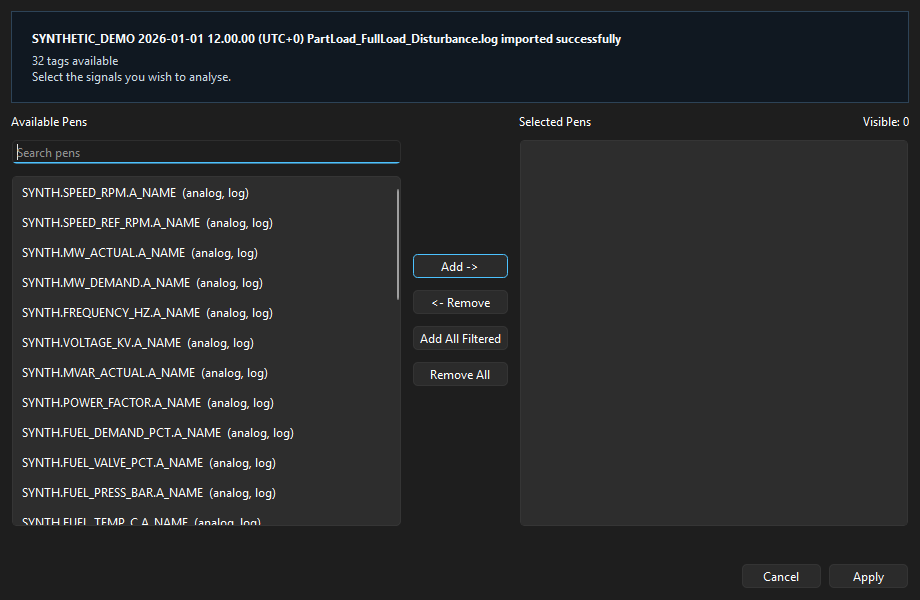
FOCUS ON WHAT MATTERS
TrendView analyses existing recordings. It does not control equipment or provide live historian monitoring.
Watch the demonstration, then explore the public synthetic examples yourself.
Demonstration: loading recordings, selecting pens, Overlay, Grouped and Stacked views, filtering and scaling, navigation and cursors, and PNG/CSV export.
RECORDED-DATA ENGINEERING ANALYSIS
Currently in final testing—not yet available for purchase.
Explore the demonstration, guides and synthetic examples. Contact TurbineIQ with product questions or to discuss your recorded-data analysis requirements.
PRODUCT ENQUIRIES
No application download or purchasing facility is available on this page.
Enquire About TrendViewExplore synthetic data. No plant or customer data is included.
Open a recording, select pens and start examining an event.
Open Quick Start ↗Explore operating controls, cursor readings and data-export qualifications.
Open User Manual ↗A three-minute start, load, disturbance and shutdown example.
Download CSV ↓A twenty-minute gas-turbine exercise with a load disturbance.
Download LOG ↓Open the walkthrough ↗The Quick Start and User Manual explain the default Overlay view, all three plot modes, cursors, export scope, CSV date choices and purchase activation. The companion 32-pen walkthrough describes an earlier workflow; use the current manual for controls and export scope. Preserve the complete LOG filename when downloading.
Updates by USB: Close TrendView, retain the complete previous package as rollback, and verify and extract the complete replacement into a separate folder. Preserve activation data and use the same Windows account and launch/profile settings on the licensed PC. Never replace only the EXE or overwrite licence data. Activation retention depends on preserving the existing activation data and launch/profile settings; it is not guaranteed for every future update. See the guides for the rollback steps.
FactoryTalk DAT requires both the data file and tag-name companion in the same folder.
DAT data ↓DAT tag names ↓16-signal MicroNet LOG ↓Example instructions ↓WINDOWS DESKTOP SOFTWARE
Check the intended system requirements below. The application remains in final testing.
| Operating system | Windows 10 / Windows 11, 64-bit |
|---|---|
| Installed RAM | 4 GB minimum |
| Free installation space | 500 MB free disk space for installation. Additional space is required for recordings and exports. |
Larger recordings require additional memory and processing time.
Internet access is required for automatic activation. Once activated, TrendView can analyse recordings offline.
These requirements do not affect your statutory rights.
LICENCE & SUPPORT
The licence covers one active PC and its Windows users. Future major versions are separate. Contact support for licence recovery, hardware replacement or transfer assistance.
Recording will not open? Contact support with its file type, producing software/version and error. Where authorised, supply a small original recording and required companions after removing sensitive information. We can assess a patch or future revision; support for every format cannot be guaranteed.
For product and activation assistance:
support@turbineiq.co.ukThe purchase and activation process is subject to the licence agreement supplied with TrendView.